Assume the Signal Will Drop: A Loader Built for the Morning Commute
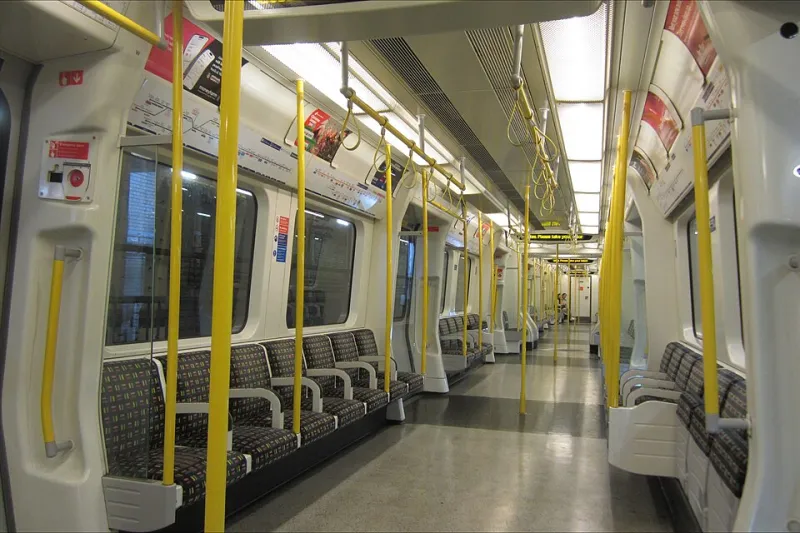
Photo: Bananaclippings, CC BY-SA 4.0, via Wikimedia Commons
Every demo we've ever given has run on fibre, on a laptop, three feet from a router. The 07:42 to Waterloo does not care about your demo. It will hand you three bars outside Haywards Heath, a wall of contention at Clapham Junction, a captive portal that swallows your first request whole, and then a long black stretch into the terminus where the only thing loading is the person next to you's breakfast.
That window — call it forty minutes, of which maybe six are usable — is where your app actually gets judged. So the loader should be designed on the assumption that the network is a rumour, and then tested against a journey rather than a connection.
The commute is the test case, not the edge case
Most teams treat patchy connectivity as a fallback. It's the other way round for anything with a UK rail audience. A commuter app has, roughly, five distinct phases in one sitting:
- Home Wi-Fi. Fast, warm cache, everything already loaded. The easy bit.
- The platform. Signal exists, but so do four hundred other phones on the same mast.
- The tunnel. Nothing. Genuinely nothing, for two to four minutes.
- The concourse. Often a captive portal that returns a 200 with a login page, which is worse than a failure because your fetch resolves.
- The approach. Repeated handoffs — 5G to 4G to nothing and back — each one a chance to stall a request forever.
If you only test on one of those, you've tested the least interesting one.
Build the harness before the loader
It's tempting to start with the code. Start with the simulation instead, because otherwise you'll never know whether any of it worked. Chrome DevTools' throttling presets are fine for a spot check and useless for a journey, since they don't change over time.
What you want is a scripted timeline. We use Playwright with the Chrome DevTools Protocol, applying network conditions on a clock:
const journey = [
  { at: 0,  name: 'home',      down: 20000, up: 5000, rtt: 20,  offline: false },
  { at: 8,  name: 'platform',  down: 900,   up: 300,  rtt: 250, offline: false },
  { at: 14, name: 'tunnel',    down: 0,     up: 0,    rtt: 0,   offline: true  },
  { at: 26, name: 'concourse', down: 400,   up: 200,  rtt: 400, offline: false },
  { at: 34, name: 'waterloo',  down: 3000,  up: 900,  rtt: 90,  offline: false },
];
Walk that array with a timer, call Network.emulateNetworkConditions at each step, and record your performance marks as you go. If you want something closer to the metal, tc netem on a Linux box against a tethered phone will give you loss and jitter that a browser preset can't. Either way, the important bit is that the conditions change mid-session, because that's the thing that breaks loaders: not slow, but inconsistent.
Pattern one: hydrate in stages, cheapest first
Don't ship one big hydration pass and hope. Give the user the thing they opened the app for, then earn the rest. On a travel app that means the ticket — the QR code, the seat, the platform — renders from HTML before a single script runs. Everything else queues behind it: journey history, the loyalty wallet, the upsell banner, whatever the map is doing.
Use requestIdleCallback with a hard timeout so the deferred work happens on quiet moments, and bail out entirely if document.visibilityState isn't visible. A surprising number of stalls come from hydrating a tab the commuter put in their pocket at East Croydon.
Pattern two: let the cache answer first
Stale-while-revalidate isn't new, but it's the difference between an app that opens and one that spins. Put a service worker in front of your API calls, serve the cached response immediately, and refresh in the background — with a rule that you never block on the network for more than about 250ms if you already have something to show.
A few things we've learned the hard way:
- Version your cache keys by deploy, or you'll spend a Tuesday afternoon debugging a stale payload from three releases ago.
- Turn on navigation preload; it shaves real time off the first request after a cold start.
- Use
AbortControllerwith a timeout on every non-cache-first request. A fetch in a tunnel doesn't fail, it just hangs, and a hung fetch is worse than a dead one because nothing downstream knows to move on.
Pattern three: queue the scripts, don't scatter them
Half the connectivity problems we see aren't network at all — they're loaders that fire eight script tags in parallel and then re-order themselves badly when one returns late from a portal. Own the queue. One loader, one ordered list, persisted to IndexedDB so a refresh in the tunnel doesn't wipe progress.
Give each entry a priority and a retry budget. Analytics can fail four times and be dropped. The payment SDK cannot. Backoff should be short and capped — three attempts over about six seconds is plenty; if the tunnel is going to eat you, no amount of patience will help.
Pattern four: degrade on purpose
Nobody likes a spinner that spins for forty minutes. Decide in advance what "reduced mode" looks like: no map tiles, placeholder images, no third-party analytics, no fonts beyond the system stack. Check navigator.connection.effectiveType and saveData, and tell the user plainly that they're in a low-data mode. People are remarkably forgiving when they know why.
Captive portals deserve their own handling. A request through a portal returns a 200 with a login page, so your code thinks it succeeded. Fetch a small known endpoint with redirect: 'manual' and check whether the response is what you asked for; if it isn't, surface a "connect to Wi-Fi" hint rather than a retry loop.
Measure the tunnel, not the average
Averages lie on a journey. Report your metrics per phase — first usable ticket, time to interactive ticket, number of stalled requests — and keep them separate. The mean across forty minutes hides the four minutes that matter.
Finally, add one non-technical metric: did the person get their ticket on screen before they reached the barrier? That's the only one the commuter cares about, and it's the one that will tell you whether the loader is doing its job. Ship the version that survives the tunnel, not the version that wins the demo.